7 Best Row Counter Apps For Complex Cables To Try
Master complex cabling with ease. We review the 7 best row counter apps designed to track intricate patterns, ensuring your knitting projects stay on track.
Complex cable patterns are the ultimate test of a knitter’s focus, turning a simple ball of wool into a structural masterpiece of twists and turns. Keeping track of where you are in a 24-row repeat while juggling a cable needle and maintaining even tension is enough to make anyone lose their place. Digital row counters have evolved from simple clickers into sophisticated tools that act as a second set of eyes on your work. This guide explores the best digital solutions to ensure your cables cross exactly when they should.
KnitCompanion: Best for Complex Cable Charts


KnitCompanion is arguably the gold standard for knitters who work primarily from complex, multi-page charts. It doesn’t just count rows; it allows you to manipulate the chart itself, letting you highlight specific rows or sections of a cable repeat.
When you’re working on a dense Aran sweater with overlapping cables, the ability to zoom in and keep a "magic highlighter" on your current row is invaluable. It removes the mental fatigue of constantly scanning back and forth between a paper chart and your needles.

The tradeoff here is a steeper learning curve compared to simpler apps. However, for the knitter tackling intricate textures, the investment of time to learn the interface pays off in fewer dropped stitches and perfectly aligned crossings.
BeeCount: The Minimalist Choice for Cables
If you find yourself overwhelmed by feature-heavy apps, BeeCount offers a refreshing, stripped-back experience. It focuses entirely on the rhythm of the row, providing a clean interface that won’t distract you from the actual knitting.
This is perfect for the knitter who wants to set up a project quickly and get back to their yarn. It’s particularly effective for simple cable repeats that don’t require complex chart manipulation, but where you still need a reliable way to track your progress.
Because it lacks the bells and whistles of larger apps, it’s also incredibly battery-efficient. If you’re knitting on a long train ride or a camping trip, this reliability is a major advantage.
Row Counter: Best All-Around Knitting Helper
The "Row Counter" app is widely praised for its balance of accessibility and utility. It offers a very intuitive way to log rows, which is essential when you’re working with high-twist wool that might be harder to "read" visually after you’ve put the project down for a few days.
It includes features that allow you to set up multiple counters for one project. This is a game-changer for complex cables where you might be tracking the main row repeat alongside a secondary counter for shaping or increases.
The interface is bright and responsive, making it easy to tap with a thumb while holding your needles. It’s a solid, dependable workhorse for the majority of knitting projects.
My Row Counter: Excellent Visual Pattern Aid

My Row Counter excels by allowing you to import your PDF patterns directly and overlay a digital row marker. This is a massive help for cable patterns where the visual layout of the chart is just as important as the written instructions.
Being able to see your progress physically marked on the PDF helps prevent the common mistake of skipping a row or miscounting a cable crossing. It turns your tablet or phone into a dynamic, interactive version of your paper pattern.
While it is feature-rich, the user interface remains clean and logical. It’s an excellent choice for visual learners who need to see the "big picture" of their cable design to stay on track.
Stitch Count: Simple Tracking for Cable Rows
Stitch Count is designed for the knitter who needs to keep track of specific stitch-based milestones within a row. If your cable pattern involves complex decreases or increases alongside the twists, this app helps you manage those sub-tasks.
It’s less about the total row count and more about the micro-movements within the row. For intricate lace-and-cable combinations, this granular level of tracking prevents the frustration of realizing you’re one stitch off at the end of a long row.
It’s a specialized tool, but one that solves a very specific headache for advanced knitters. If you find yourself constantly recounting your stitches before starting a cable cross, this is your best friend.
Knitting Patterns: Best for Integrated Rows
The "Knitting Patterns" app takes a holistic approach by integrating pattern management with row counting. It’s designed to keep your entire project library organized, which is a blessing if you have multiple cable projects on the needles at once.
The integrated nature of the app means your row count is always linked to the specific pattern instructions. You won’t have to worry about which counter belongs to which project, a common issue when you’re working on a sweater, a hat, and a pair of cabled mittens simultaneously.
It’s a robust system that rewards knitters who like to keep their project notes neat and tidy. It might be overkill for a single-project knitter, but for the prolific maker, it’s an essential organizational tool.
Pattern Keeper: Best for PDF Cable Charts
Pattern Keeper is a favorite among knitters who use digital charts exclusively. It automatically recognizes the symbols in your PDF, allowing you to track your progress across the chart with incredible precision.
The app is specifically built to handle the complexities of large, multi-page charts. For a complex cable pattern that spans several pages, Pattern Keeper makes the transition between pages seamless, so you don’t lose your place during a row change.
It is a powerful tool that essentially digitizes your knitting experience. If you are serious about cable work and have moved away from paper patterns, this is the most sophisticated option available.
Essential Features for Digital Row Counters
When choosing an app, prioritize features that align with your specific knitting habits. Not every knitter needs a complex chart-importing tool, but almost every knitter needs a reliable way to save their progress.
- Multi-counter support: Essential for projects with simultaneous shaping and cable repeats.
- Visual PDF support: Crucial for complex charts where you need to see your progress on the page.
- Sync functionality: Ensures your progress is backed up if your device dies or you switch between a phone and tablet.
- Customizable labels: Allows you to name your rows (e.g., "Cable Row," "Increase Row," "WS Row").
Don’t be swayed by "feature creep." The best app is the one that you actually remember to use every single time you finish a row.
Why Digital Counters Beat Manual Clickers
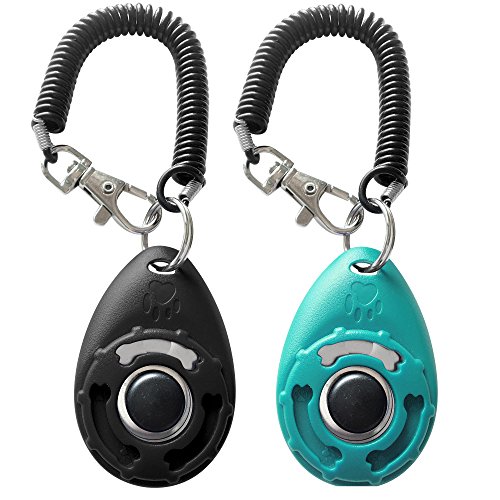
Manual clickers are nostalgic, but they are prone to accidental clicks when they rattle around in your project bag. A digital counter, especially one that requires a deliberate tap on a screen, offers a level of intentionality that prevents errors.
Digital counters also provide a history of your progress. Being able to see how many rows you completed in a session can be a great motivator, especially on long, repetitive cable sections.
Furthermore, digital apps allow for complex notes. You can jot down "check tension here" or "remember to move marker" directly next to the row count, which is impossible with a plastic clicker.
Tips for Managing Complex Cable Repeats
Even the best app can’t knit for you, so it’s important to establish a rhythm. I always recommend tapping your row counter at the exact same moment in your knitting process—either immediately after finishing the last stitch of the row or right before you start the next one.
If you are working with slippery materials like silk or superwash merino, keep your chart nearby and double-check your cable direction frequently. Digital counters are great, but they can’t see that you accidentally twisted a cable in the wrong direction.
Finally, don’t be afraid to use stitch markers to break up your cable repeats. A well-placed marker acts as a physical "row counter" that complements your digital tool, giving you a fail-safe way to verify your progress at a glance.
Choosing the right digital row counter is a personal process that depends as much on your knitting style as it does on the complexity of your cables. Whether you prefer the visual aid of a PDF-integrated app or the simplicity of a basic counter, the goal remains the same: to keep your mind free for the joy of the craft. Don’t be afraid to experiment with a few different apps before settling on the one that feels like a natural extension of your needles. Happy knitting, and may your cable crossings always be crisp and clear.