6 Best Drawing Tablets For Design Planning To Consider
Ready to upgrade your workflow? Discover the 6 best drawing tablets for design planning to enhance your creative precision. Explore our top expert picks today.
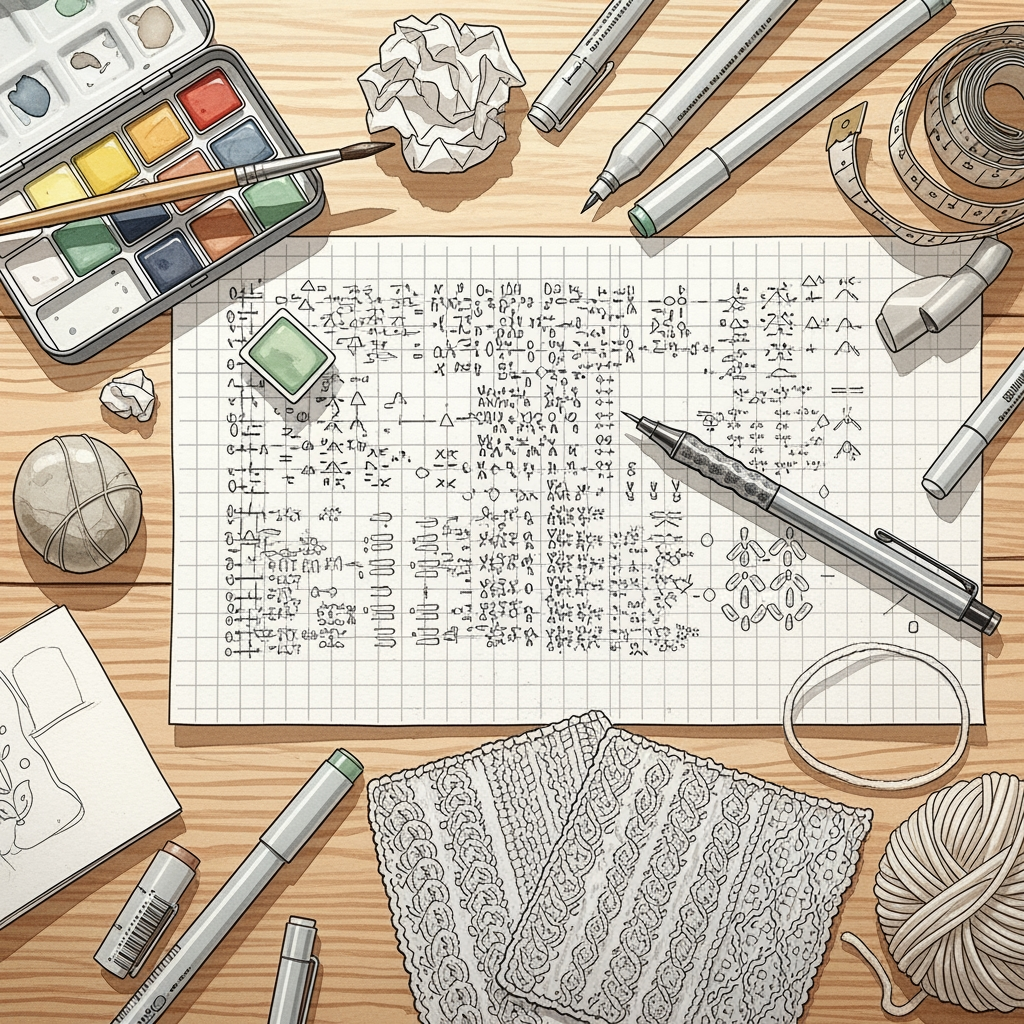
Transitioning from paper graph paper to digital design software transforms how a pattern comes to life, turning hours of tedious manual calculations into a fluid creative process. Choosing the right tablet ensures that the digital interface feels as natural as holding a favorite pair of needles. Whether mapping out complex cables or managing multi-color stranded motifs, the right tool acts as an extension of the designer’s intent. This guide cuts through the technical specs to focus on which hardware actually serves the unique demands of the fiber artist.
iPad Pro & Pencil: The Ultimate Design Studio
The iPad Pro remains the gold standard for mobile pattern design because of its unparalleled integration between hardware and software. Its high-resolution display renders fine stitch details with perfect clarity, which is essential when auditing a lace chart for subtle errors.
The Apple Pencil offers near-zero latency, allowing a designer to draw stitch symbols or annotate PDFs with the precision of a fine-point mechanical pencil. This responsiveness eliminates the disconnect often felt when using cheaper, laggy styluses on other devices.
For those who travel with their projects, the iPad serves as both a digital sketchbook and a portable pattern library. It is ideal for sketching initial color combinations while sitting in a local yarn store or verifying a complicated cable repeat at a knitting guild meeting.
Wacom Intuos S: Best Budget Tablet for Charts


The Wacom Intuos S is an excellent entry point for designers who primarily work at a desktop computer and need a bridge between physical sketches and digital charts. Its compact size mimics the scale of a small notebook, making it intuitive for those accustomed to drafting on paper.
Because this is a screenless tablet, it requires a period of adjustment where the hand moves on the desk while the eyes focus on the monitor. However, for charting simple colorwork or drafting repeating stitch patterns, the lack of a screen is a minor hurdle compared to the cost savings.
This tablet is best suited for the knitter who values durability and long-term reliability over bells and whistles. It handles the repetitive, high-precision task of clicking and dragging individual grid squares in pattern software with ease.
XP-Pen Artist 12: Best Value Display Tablet
The XP-Pen Artist 12 brings the drawing experience onto a screen without the prohibitive price tag of high-end professional hardware. Seeing the cursor directly under the stylus tip makes drawing custom stitch symbols significantly faster and more accurate than a screenless tablet.
The screen size is compact, which is perfect for a dedicated fiber arts studio space where desk real estate is limited. It provides enough room to keep toolbars open while leaving plenty of space to view a full swatch repeat or a section of a garment’s schematic.
While color accuracy is not perfect, it is more than sufficient for planning basic color palettes or identifying where to place increases and decreases in a garment. It represents the perfect middle ground for a designer ready to upgrade from basic drawing tools to a professional-grade display.
Huion Kamvas Pro 16: Great for Complex Colorwork
When color theory is at the center of a design, the Huion Kamvas Pro 16 offers a superior visual experience with its wide color gamut and laminated glass screen. Precise color reproduction is vital when choosing between two similar shades of wool; a screen that lacks depth can lead to poor color contrast in the final knit.
The 16-inch display offers enough room to view multiple pages of a complex colorwork chart simultaneously without constant zooming. This allows for a more holistic view of the garment’s flow, helping the designer ensure that the transition between motifs remains balanced.
This tablet is intended for the serious designer who treats fiber arts as a professional pursuit. It is built to withstand hours of continuous use, much like the patience required to finish a sweater with a long-tail cast-on and hundreds of ends to weave in later.
Microsoft Surface Pro 9: Top PC-Tablet Combo
The Surface Pro 9 effectively collapses the distinction between a creative tablet and a full-powered computer. Because it runs a standard Windows operating system, it can host any complex knitting design software, spreadsheet, or database that a laptop would, all while supporting pressure-sensitive pen input.
This flexibility is essential for designers who need to keep technical knitting software, project notes, and email open simultaneously. It eliminates the need to jump between a dedicated tablet and a laptop to finalize a pattern draft or publish a digital file.
The primary trade-off is that it requires a keyboard accessory to fully unlock its potential, making it more of a portable workstation than a simple drawing slate. If the workspace needs to handle both creative sketching and the logistics of pattern writing, the Surface Pro is the most versatile candidate.
reMarkable 2: The Best Paper-Like Experience
The reMarkable 2 is not a traditional drawing tablet, but it is an exceptional tool for the tactile-focused designer. It mimics the physical resistance of graphite on paper so effectively that it removes the “digital fatigue” often caused by slick glass screens.
This device is best for the early stages of design—sketching schematics, writing down row-by-row instructions, or doodling cable ideas during a project meeting. It lacks the color capabilities and software power of other tablets, but it excels at distraction-free drafting.
If the goal is to replicate the sensation of a paper notebook while keeping everything in the cloud, this is the superior choice. It keeps the focus on the design logic rather than the technical settings of the software.
Screen vs. Screenless: Which Tablet Is for You?
Screenless tablets require the user to coordinate hand-eye movement across two separate surfaces, which can be an adjustment for those used to drawing directly on paper. However, they are generally more ergonomic for the neck and shoulders, as they allow for a more upright posture while working at a desk.
Display tablets offer a more direct, intuitive connection to the work, which feels more like traditional drawing with a pencil. While this is often faster for intricate charting, it requires the user to hunch over the screen, which can be physically taxing during long design sessions.
Ultimately, the choice depends on how much time is spent on the computer. If most work involves complex, detail-oriented charting, a display tablet saves significant time. If the work is primarily writing patterns with occasional drawing, a screenless tablet or a simple pen-and-paper approach is perfectly sufficient.
Software to Bring Your Knitting Designs to Life
Digital design relies on more than just the tablet; the software must handle the unique geometry of knitting stitches. Standard design programs often ignore the fact that stitches are rarely perfectly square, which can lead to distorted motifs in the finished fabric.
- Stitch Mastery: The industry standard for creating professional, clear knitting charts that look like printed patterns.
- Adobe Illustrator: Ideal for creating high-quality schematics and custom symbols for complex lace designs.
- Excel or Google Sheets: Surprisingly powerful for drafting colorwork repeats by adjusting cell dimensions to mimic gauge.
Always prioritize software that allows for custom stitch shape settings to account for the difference between the width of a stitch and its height. This ensures that the digital chart is a faithful representation of the final, blocked garment.
Must-Have Features for Fiber Art Design Tablets
A tablet for fiber arts must prioritize responsiveness and hardware compatibility. Beyond the stylus, the most important features involve how the device handles large image files and long-term battery life.
- Pressure Sensitivity: Essential for sketching curves and shaping, mimicking the varying weight of a pencil.
- Tilt Support: Allows for shading and natural, fluid lines during the initial sketching of garment shapes.
- Portability: A lightweight, thin design is crucial if sketches are done away from the home studio.
- Screen Surface: Look for a matte texture to reduce glare and provide just enough friction to feel like drawing on textured paper.
Avoid hardware that relies entirely on cloud-based processing if the design sessions often occur in areas with poor internet connectivity. Local storage and processing are vital for a smooth, interruption-free design process.
From Sketch to Chart: A Digital Design Workflow
The design process begins with a rough, analog-style sketch on the tablet to establish the garment’s silhouette and gauge constraints. This initial sketch serves as the foundation upon which every technical decision—from needle size to fiber choice—is anchored.
Once the sketch is finalized, move to the charting software to define the stitch repeats, increases, and decreases. This is where the tablet shines, allowing for rapid iteration and testing of different stitch patterns without needing to knit a full swatch every time.
Finally, annotate the chart with clear, accessible instructions that account for different experience levels. A great design is not just a beautiful chart; it is a clear map that guides the knitter through the mechanics of the project from start to finish.
Choosing the right digital tool is an investment in the longevity and quality of your creative practice. By balancing hardware features with the realities of pattern drafting, you ensure that technology remains a servant to your design vision rather than a distraction from it. Select the tool that mirrors your natural workflow, and watch as your most ambitious fiber art concepts move from inspiration to finished heirloom with greater ease.